Support that’s organised and easy to use.
A clean support flow: quick checks first, then a ticket with the right details so issues get solved fast.
Contact
Email: support@veltel.com.au
Ticketing: My Veltel → Support
Hours: Mon–Fri 9:00–17:00 (AWST) • After-hours: ticketing
If your service is fully down, include modem/router lights + address + best contact number.
Before you contact us
- Restart NBN NTD / modem and router (power off 30 seconds)
- Try a wired Ethernet test if possible
- Run a speed test near the router (5GHz) and note the result
- Tell us if this started after any changes (new router, new device, cabling)
Setup guides
Keep it simple. These steps work for most home networks.
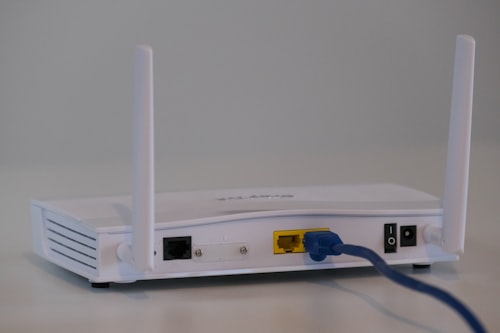 Router
Basic setup
Connect WAN, set Wi‑Fi name/password, and confirm internet works.
 Mesh
MeshMesh placement
Place nodes with clear line-of-sight where possible; wired backhaul is best.
 Security
Safe defaults
Strong passwords, firmware updates, and avoid open admin access.
Speed troubleshooting
Most “slow internet” is Wi‑Fi or device limits. This flow saves time.
- Wired test: plug a laptop/PC into the router and run a speed test.
- Wi‑Fi test: run a test near the router on 5GHz.
- Distance check: compare results in far rooms — consider mesh if large drop.
- Interference: move router away from microwaves/metal cabinets, try a different channel.
Moving home
Tell us early so your service can be scheduled properly.
When you move, we’ll check service availability at the new address and confirm the likely activation steps. Some addresses require appointments; we’ll guide the process.
Hardware & compatibility
You can BYO router. If you buy from us, we keep choices small and proven.
To confirm compatibility, we’ll check your NBN technology, router WAN requirements, and Wi‑Fi capability.
Billing
Clear invoices and a simple account view.
If something looks incorrect, send us the invoice number and a short description. We’ll investigate and get back to you.
FAQ
Do you have contracts?
Use this space to state your final terms (month-to-month vs contract). Keep it simple and transparent.
Can I switch plans later?
Yes. Plan changes are typically easy — confirm exact timelines once wholesale processes are final.
What details should I include in a support ticket?
Address, contact number, brief issue description, and any speed test results (wired + Wi‑Fi).